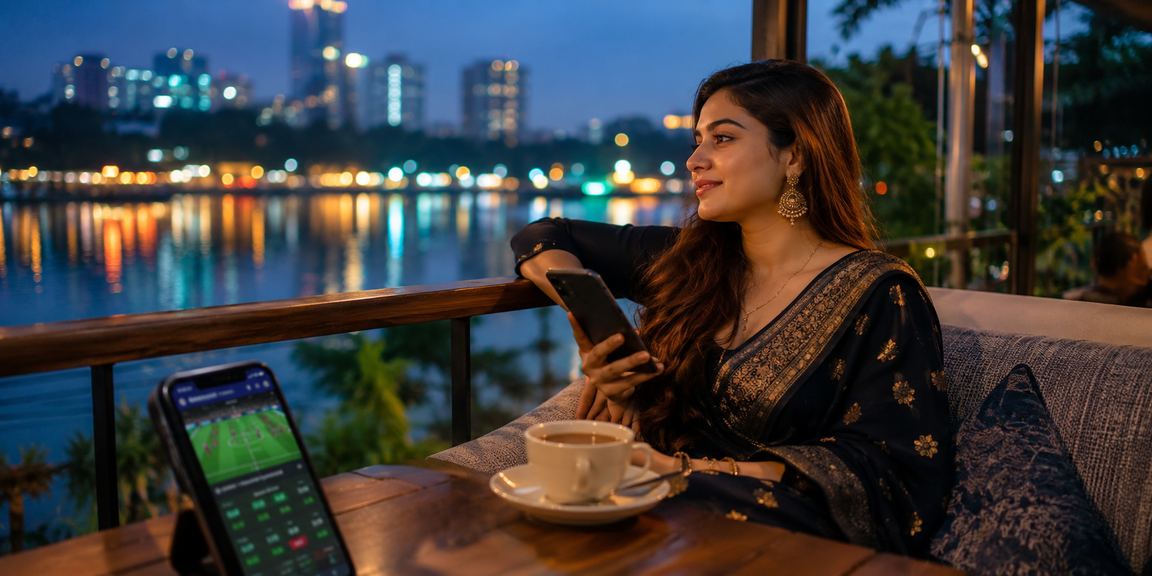
Android Mobile Browser Quick Install Low-Data Support bKash & Nagad

Download bc99 — Play on Mobile, Anywhere You Are

The bc99 app installs on any Android phone in Bangladesh in just seconds. It runs smoothly even on slow connections, and payments via bKash and Nagad can be made directly from the app.

A user from Cumilla using the bc99 casino app on mobile
Direct APK Download Low-Data Mode 500+ Games Live Sports Betting bKash Payment Push Notifications Bangla Support Secure Transactions Direct APK Download Low-Data Mode 500+ Games Live Sports Betting bKash Payment Push Notifications Bangla Support Secure Transactions

How do I download the bc99 app?

Downloading the bc99 app is straightforward — it's available as a direct APK file outside the Google Play Store. Enable "Unknown sources" or "Install unknown apps" in your phone's settings, then download the APK from the bc99 website. Installation typically takes no more than 30 seconds to a minute. Once installed, log in to your account and all features are available immediately. iOS users can access bc99 directly through the mobile website on their browser.

Install in Just Four Steps

Works on any Android phone with minimal data usage.

Visit Website

Visit the bc99 official site from your mobile browser and go to the download page. The APK file can be downloaded without an account.

Change Settings

Enable "Unknown Sources" in your phone's settings. This is a standard security setting required to install third-party apps.

Install the APK

Tap the downloaded APK file and press the "Install" button. Once installation is complete, the bc99 icon will appear on your home screen.

Log In & Start Playing

Open the app, log in or create a new account. Deposit via bKash or Nagad and start playing right away.

Download Details at a Glance

Key specifications and system information for the bc99 app.

Topic Details
Supported Platforms Android 5.0 and above; iOS mobile browser
File Size Approx. 28–35 MB (APK)
Install Time 30 seconds to 1 minute
Network Requirements 3G / 4G / Wi-Fi; Low-Data Mode available
Language Support Bengali (primary), English
Payment Methods BKash, Nagad, Rocket
How to Update Auto-Update or Manual APK Reinstall

Optimized for Bangladesh Networks

The bc99 app is built with Bangladesh's mobile networks in mind. Whether you're in Dhaka, Chattogram, Sylhet, or a remote area, it loads smoothly on a 3G connection with no in-game lag. With low-data mode on, a Sports Betting session uses just 2–3 MB of data — significantly less than other platforms.

Even in district towns like Gazipur, Narayanganj, or Bogura where internet speeds can be inconsistent, bc99's adaptive streaming keeps gameplay smooth. The app runs efficiently in the background with low RAM usage, making it a good fit for older Android devices too. For the best experience on any network, enable Low Data Mode from the app settings.

Open an Account
A user playing Andar Bahar on mobile at a night market in Gazipur

Bc99 Mobile App — By the Numbers

500+

Games Available

24/7

Bangla Support

30s

Average install time

3G+

Runs on Mobile Data

A user in Dhaka making a deposit on the bc99 app via bKash

What's in the App

Live Sports Betting — Live odds for all popular sports — cricket, football, kabaddi, and more — are available to view and bet on directly in the app.

Live Casino — Play Andar Bahar, Baccarat, and Roulette with real dealers, live on your mobile screen.

Slots & Crash Games — Enjoy 300+ slots and crash games including Aviator, all with mobile-optimized graphics.

bKash & Nagad Payments — Deposit and withdraw directly from the app, with funds arriving within minutes.

Push Notifications — Get new bonus alerts, match start reminders, and deposit confirmations delivered straight to your phone.

Dark Mode Interface — The entire app is designed in dark theme for a comfortable viewing experience when playing at night.

Android vs. Mobile Browser

Find out which one is right for you.

Android APK

  • Home screen shortcut icon
  • Push Notification Support
  • Browse the Lobby Offline
  • Faster loading speed
  • Battery & Data Optimized
  • Biometric Login Support

Mobile Browser

  • Works on iOS and all devices
  • No Installation Required
  • Just open bc99.im to get started
  • Chrome, Firefox & Safari Support
  • Full feature access
  • Add Bookmark to Home Screen

IOS users can visit bc99.im on Safari or Chrome and tap "Add to Home Screen" for an experience that feels just like a native app.

From Dhaka to Chattogram — the same experience everywhere

The bc99 app delivers the same quality experience to every corner of Bangladesh.

A user making a deposit on the bc99 app during Eid celebrations in Narayanganj

Extra Fun This Festive Season

During Eid, Puja, or Noboborsho, the bc99 app runs special bonuses and tournaments. Users across the country — including Narayanganj, Noakhali, and Comilla — should keep push notifications on so they never miss a festive offer. All active promotions are displayed in a banner on the app's home screen.

A user in Cumilla placing cricket bets on the bc99 app

Live Betting During Cricket Season

During Bangladesh Premier League matches or international games, live odds on the bc99 app update ball by ball. Place bets while watching the scoreboard and get instant results. Beyond cricket, the app's Sports section also covers football, kabaddi, and tennis markets.

A user from Bogura using the bc99 betting platform on mobile

Uninterrupted access in district towns

In divisional cities like Bogura, Rajshahi, or Sylhet where mobile data speeds vary, the bc99 app automatically adjusts its bandwidth. You can lower the game quality to save data, and it switches back to high quality once conditions improve.

Deposit and withdraw right from the app

Making a payment on the bc99 app is straightforward enough that first-time users can complete it on their own. Deposits via bKash, Nagad, or Rocket take just three steps, and your balance is credited instantly.

Withdrawals are typically processed within 15 minutes to 24 hours of your request, with funds sent directly to your bKash or Nagad account. Minimum deposit and withdrawal amounts are listed under the "Payment" section in the app. All transactions are encrypted and fully secure.

bKash Nagad Rocket

Deposit Steps

Step 1 — Go to the Payment Section

Tap the "Deposit" button from the bottom menu in the app.

Step 2 — Choose a Payment Method

BKash, Nagad, or Rocket — just select whichever one you use.

Step 3 — Enter the amount and confirm

Enter the amount, verify the number, and send.

Step 4 — Balance Will Be Updated

Your account balance updates instantly after a successful payment.

Keep the App Always Up to Date

New features and security patches are released on a regular basis.

Automatic Update Notifications

When you open the bc99 app and a new version is available, an update notification will appear automatically. A single tap starts the new APK download, and your existing data is preserved throughout. Once updated, just log back in to access the latest features.

Regular Security Patches

Every update includes security improvements, bug fixes, and new games. Some features may not work correctly on older versions. Always use the latest version for uninterrupted service.

Manual updates are easy too

If an auto-update isn't available, download the latest APK directly from the bc99 website's download page. You can install the new APK without uninstalling the old app — your account data will remain intact.

Download now — don't miss your bonus

Install the bc99 app and open a new account to claim your welcome bonus. After your first deposit, the bonus is credited directly to your balance and can be used across all games. Get started today.

Download FAQs

The questions users ask most.

Yes, downloading and installing the bc99 app is completely free. The APK file uses less than 3–5 MB of mobile data to download, and creating an account is also free with no membership fees. A deposit is only needed when you want to place bets or play games.

APKs downloaded from the official bc99 site are completely safe. The "Unknown sources" setting simply allows installation of third-party APKs. You can turn it back off once the installation is done. Always download the APK from the official bc99 website only — not from any other source.

iOS does not support direct APK installation, but you can access the full platform by visiting bc99.im in Safari on your iPhone or iPad. Once the site is open, tap the "Share" button and select "Add to Home Screen" to create an app-like shortcut. All games, payments, and live betting features work fully in the mobile browser.

Start by checking your internet connection and making sure mobile data or Wi-Fi is turned on. If you've forgotten your password, use the "Forgot Password?" option on the login screen. If the problem persists, close the app and reopen it, or restart your phone. For further assistance, on the FAQ page detailed solutions are available.

The bc99 app works on Android 5.0 (Lollipop) and above. It runs smoothly on any phone with 2 GB RAM or more. On older devices, some live games may load slowly — in that case, enable "Low Performance Mode" in the app settings. The same experience is also available through a mobile browser.

Absolutely. You can create an account directly on the bc99 mobile website and later download the app to log in with the same account. Registering via browser still makes you fully eligible for the welcome bonus and first deposit offer. Your account, balance, and betting history stay in sync across all devices.

For more detailed questions and answers, visit our FAQ Page here.

Useful Tips for Using the App

Tips and strategies from experienced players.

Enable Low Data Mode on a Weak Connection

Enable "Low-Data Mode" from the app's settings menu to optimize game graphics and reduce data usage by up to 40%. This mode is especially useful when traveling in rural areas or hilly regions of Bangladesh. You can switch modes anytime once your connection improves.

Customize Notifications

In the bc99 app's notification settings, you can choose exactly which updates you want to receive. Bonus offers, match reminders, and payment confirmations can each be toggled on or off independently. Turning off unnecessary notifications also helps extend your battery life.

Set Up Biometric Login

Enable fingerprint or face unlock login from Account Settings. This saves you from typing your password every time while also improving account security. The feature is available by default on supported Android devices.

Save Your Favorite Games

Each game in the bc99 app has a heart or star icon next to it — tap it to add the game to your favourites. From then on, go straight to your preferred games from the "My Games" section and save time searching. It's the quickest way to jump into a game when every second counts.

Set Your Own Deposit Limit

As part of responsible gaming, the bc99 app lets you set daily or weekly deposit limits. Go to Account Settings and find the "Spending Limit" section to set it up. Having a limit in place makes it easier to enjoy the platform while staying within your budget.

Get Help via Live Chat

For any app issues, tap the "Support" button from the menu below. Bengali-speaking customer service representatives are available 24 hours a day, and most common issues are resolved within 5 minutes.

Get detailed information on other sections of the bc99 platform.

Install the bc99 App Today

Install in just 30 seconds and join Bangladesh's top mobile gaming platform. Easy payments via bKash and Nagad, support in Bangla, and 500+ games — all in one place. Sign up now and enjoy your new account welcome offer.

Register Log In
বাংলা